
In today's fast-paced laboratory environments, efficiency, ease of use, and accuracy are paramount. Yet, many laboratories grapple with poorly designed and older Laboratory Information Management Systems (LIMS) that hinder, rather than help, their operations. A common grievance among scientists and technicians is the cumbersome and unintuitive user interfaces (UI) of these systems.
This raises a critical question: Why is the user interface of a LIMS so important?

The Significance of UI/UX in LIMS
The User Interface (UI) and User Experience (UX) of a LIMS are not just about aesthetics; they are central to the system's functionality and the laboratory's overall productivity. An intuitive UI ensures that scientists and technicians can navigate the system effortlessly, find their work, and be prompted for next steps, leading to:
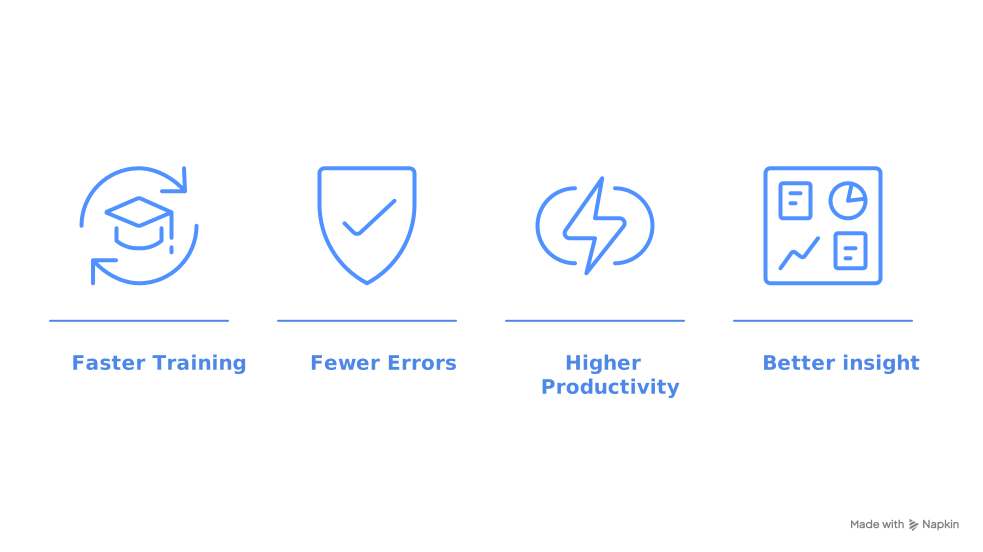
- Reduced Training Time, User Adoption, and Employee Satisfation: Staff can become proficient more quickly and find their work, minimizing downtime, accelerating onboarding processes, and enhancing employee satisfaction.
- Decreased Errors: Clear and logical interfaces reduce the likelihood of data entry mistakes, ensuring the integrity of laboratory results.
- Enhanced Productivity: Streamlined workflows that are tailored to their environment mean tasks are completed faster, allowing laboratories to handle higher workloads efficiently.
- Greater Insight: Dashboards that have been designed by user type provide clear insight into user and laboratory work and operations.
Conversely, a poorly designed UI can lead to frustration, increased errors, and even resistance to adopting the system. As highlighted in an article on LIMS usability, "A user-friendly LIMS doesn’t mean there’s no training required... There’s a new generation of LIMS... that aims to be easier to use."

Challenges with Traditional LIMS Interfaces
Many laboratories report dissatisfaction with their current LIMS, citing interfaces that are outdated and difficult to navigate. Common challenges include:
- Complex Navigation: Users often struggle with convoluted menus and unclear pathways to essential functions.
- Steep Learning Curves: Non-intuitive designs necessitate extensive training, diverting time and resources from critical laboratory work.
- Limited Customization: Inflexible systems fail to adapt to the unique workflows of individual laboratories, forcing users to adjust their processes to the software rather than the other way around.
- IT Resources Heavy: Older platforms require significant IT resources to maintain, customize, and update the LIMS, increasing costs and delaying valuable updates.

These issues underscore the necessity of prioritizing UI/UX when selecting a LIMS.

Selecting a User-Friendly LIMS Vendor
When evaluating LIMS vendors, it's essential to consider the LIMS UI/UX, capabilities and flexibility. Legacy LIMS are built on clunky, labor-intensive technology, with minimal ability to customize. Whereas modern LIMS are built on development platforms like Microsoft, resulting in easy development that leverages a plethora of advanced technology capabilities (security, integration, etc.). The following factors ensure a user-friendly experience:
- Intuitive Design: The system should feature a clean, organized layout with logical navigation paths, enabling users to find functions and data effortlessly.
- Configuration Options: The ability to easily tailor the interface and workflows to align with the laboratory's specific processes enhances usability and efficiency.
- Comprehensive Training and Support: Vendors should offer robust training programs and responsive support to assist users in maximizing the system's potential.
- Scalability: As the laboratory grows, the LIMS should be able to accommodate increased workloads and evolving requirements without necessitating a complete system overhaul.
In other words, a user-friendly interface is crucial for seamless integration of the LIMS into your lab’s daily operations.
SynapticSci's Seamless LIMS Interface
At SynapticSci, we know the pivotal role that UI/UX plays in laboratory operations because we are all scientists and engineers. We’ve lived the challenges of legacy LIMS that create hours of frustration due to poor interfaces. Thus, our LIMS has been designed with the scientist in mind. Built exclusively on the Microsoft Power Platform means that testing, analysis, customer service, and quality processes are securely integrated in a single application, with the familiar interface and robust functionality of Microsoft products.
By prioritizing user-friendly design, SynapticSci's LIMS saves hours of waste and empowers technicians and laboratories to focus on what they do best—delivering accurate and timely results.
Conclusion
The user interface of a LIMS is more than just a gateway to its features; it is the foundation upon which laboratory efficiency, accuracy, and technician satisfaction are built. When selecting a LIMS, prioritizing intuitive design and user-centric features is not just beneficial—it is essential. With SynapticSci's trusted and familiar interface, laboratories can overcome the challenges of traditional systems and embrace a solution that truly supports their critical work.
References:

